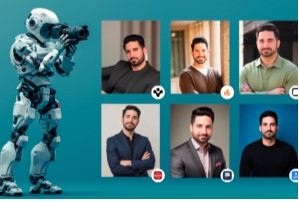
AI portrait generation can produce headshots, character illustrations, concept art, and stylized likenesses in seconds — but the quality gap between a mediocre and a great AI portrait is significant, and it is almost entirely determined by how you prompt and which tool you use.
Use cases for AI portrait generation
| Use case | What you need | Best tool |
| Professional headshots | Photorealism, natural lighting | Imagen 4 Ultra, FLUX 2 Pro |
| Character concept art | Expressive style, consistency | Midjourney v7, Leonardo AI |
| Avatar and profile pictures | Stylized likeness, variety | Midjourney, Stable Diffusion |
| Book cover portraits | High resolution, dramatic lighting | Midjourney + Magnific upscale |
| Historical figure visualization | Realism, period accuracy | FLUX 2 Pro, Imagen 4 |
Best tools for AI portrait generation
Imagen 4 Ultra — best for photorealistic portraits
Google DeepMind’s Imagen 4 Ultra is the current benchmark for photorealistic human portraiture. Skin texture, hair detail, eye reflections, and micro-expressions are rendered with fidelity that is genuinely difficult to distinguish from high-end photography.
Midjourney v7 — best for artistic portraits
Midjourney’s aesthetic strength is most visible in portraiture — painterly lighting, compelling composition, and a distinctive visual voice. The –cref (character reference) parameter allows you to maintain character consistency across multiple portrait generations.
FLUX 2 Pro — best for production-volume portrait generation
For teams generating portraits at scale via API, FLUX 2 Pro offers an excellent balance of quality, speed, and cost at $0.05/image. The model follows portrait-specific prompts reliably.
For anyone still deciding on tooling, the the AI image generator preferred for portraits continues to evolve rapidly — it is worth reviewing the current options before committing to a subscription.
How to write better portrait prompts
- Subject description: Age range, gender presentation, distinct features — ‘woman in her 40s, warm brown eyes, natural smile’
- Lighting: ‘soft natural window light’, ‘dramatic Rembrandt lighting’, ‘golden hour backlight’, ‘studio softbox’
- Camera and lens: ’85mm portrait lens’, ‘shallow depth of field’, ‘f/1.8 bokeh background’
- Style qualifier: ‘photorealistic’, ‘shot on Sony A7 IV’, ‘professional headshot photography’
Upscaling AI portraits for professional use
Most AI generators output portraits at 1024×1024 pixels — suitable for web use but below the resolution needed for print or large digital displays. Magnific AI’s Skin Enhancer feature is specifically tuned for portrait upscaling: it reconstructs skin texture, hair detail, and eye clarity at up to 16x magnification while preserving the overall composition.
FAQs
Can I generate a portrait that looks like me?
Some tools allow you to upload reference images and generate stylized versions of yourself. Stable Diffusion with a personal LoRA fine-tuned on your photos produces the most consistent results.
Are AI-generated headshots suitable for professional use?
Photorealistic AI headshots are increasingly used for professional profiles. Quality from tools like Imagen 4 Ultra or FLUX 2 Pro is sufficient for most professional contexts.
How do I keep the same character consistent across multiple portrait generations?
Use Midjourney’s –cref parameter with a reference image, Stable Diffusion LoRA fine-tuning, or platforms with built-in character consistency features.