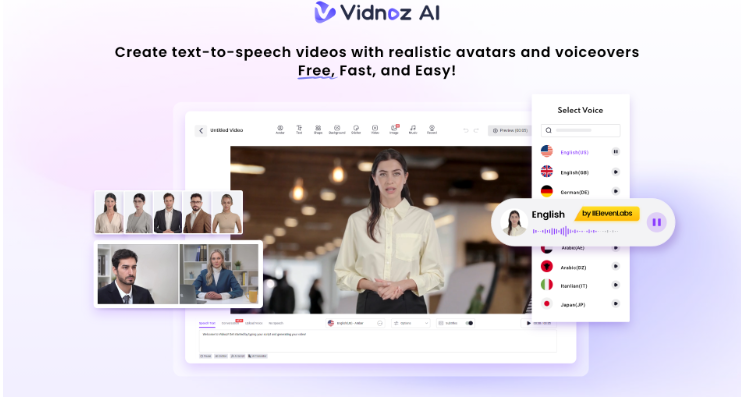
Creating one video is easy. Creating the same video for audiences in Spanish, Arabic, and Portuguese without sacrificing quality is where things get complicated. I learned that the hard way. For months, managing freelance voice actors, waiting on translated scripts, and re-editing videos for different markets ate up more time than the actual production work. The process was slow, expensive, and the results were rarely consistent.
Everything changed when I started using Vidnoz AI. Instead of treating multilingual content as a separate production challenge, I managed the entire workflow from a single platform. Even better, Vidnoz AI is certified with ISO/IEC 27001:2022 for Information Security Management, which gave me added confidence when handling content and project data. In this article, I’ll share exactly how I used Vidnoz AI to scale video content across multiple languages faster, more efficiently, and with far less effort.
Why Most Video Translation Workflows Break Down
The real problem is not translation itself. It is the number of disconnected tools you need to pull it off properly.
Most creators piece together a translator, a voiceover tool, a lip sync service, and a video editor just to publish one language version of a single video. Every handoff between tools introduces:
- Delays that push your publishing window further back
- Quality inconsistencies that make each version feel slightly off
- Extra costs that stack up fast across multiple languages
- Hours of manual reformatting that add no creative value
I tested several platforms trying to fix this. The avatar libraries were too small, the voices sounded robotic, and nothing handled lip sync well in languages beyond English. That cycle ended when I came across Vidnoz AI.
What Vidnoz AI Offers for Multilingual Video Creation
Before I walk through the exact steps, it is worth understanding why Vidnoz AI made such a difference in my workflow. Instead of jumping between five different tools for scripting, translation, voiceovers, avatars, and editing, I found everything sitting inside a single platform.
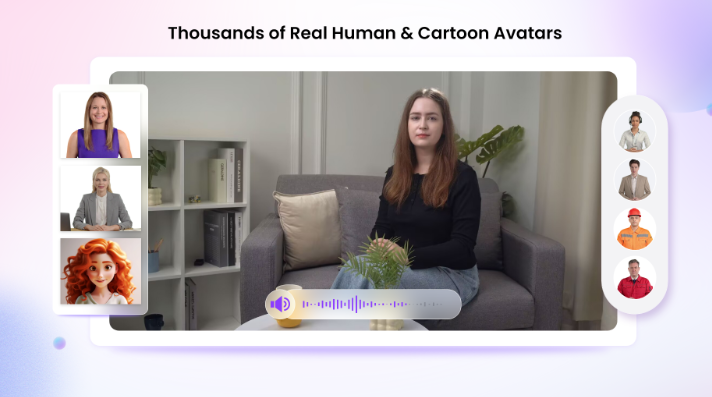
1,900+ Lifelike Avatars Across Industries and Roles
Other tools I tested offered maybe eighty to a hundred avatars, and most felt out of place in professional content. Vidnoz AI gives you access to over 1,900 lifelike avatars spanning different industries, professional roles, and demographics.
For multilingual content, this range makes a real difference. You can match the avatar to the audience you are targeting rather than forcing a generic face onto every language version. Three options I use regularly include:
- Your digital twin keeps your personal brand looking and sounding consistent across every language you publish in
- An expressive avatar works best for social content where personality and energy are what grab attention
- A product avatar puts the spotlight entirely on what you are selling without any visual noise around it
2,000+ Lip Sync AI Voices in 140+ Languages
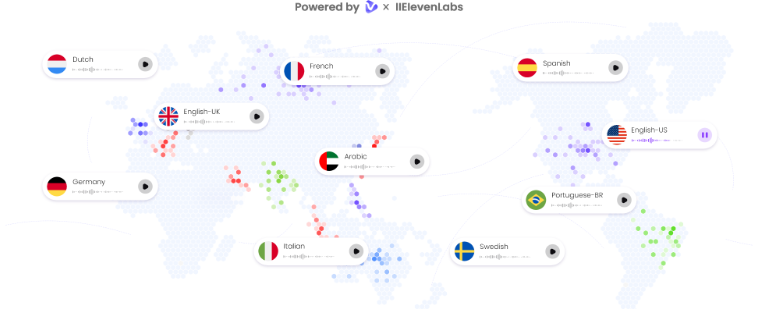
This is where Vidnoz AI pulled ahead of every other tool I put to the test. The platform gives you access to over 2,000 natural-sounding AI voices across more than 140 languages, built on voice technology from ElevenLabs, Microsoft, and Google.
Before finding Vidnoz, I ran voiceover, translation, and lip sync through three separate services. Each added cost and inconsistency. With Vidnoz, you paste your translated script, pick a voice in your target language, and the lip sync technology takes care of matching the avatar’s mouth movements to the audio naturally.
I create content for audiences in Spain, the Gulf region, and Latin America, and having voices in Spanish, Arabic, and Portuguese at broadcast quality inside one platform.
2,800+ Pre-Designed Video Templates
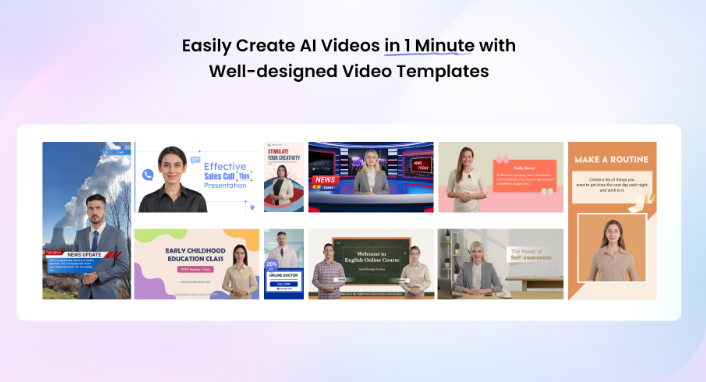
Starting from scratch for every language version multiplies your production time unnecessarily. Vidnoz AI offers over 2,800 pre-designed templates organized around real use cases:
- Sales and marketing videos
- Employee onboarding and training content
- Product demos and explainer videos
- Social media content in vertical and horizontal formats
When I translated my product demo into Spanish, I used the same sales template from the English original. Swapping the script and voice took about eight minutes because the structure, layout, and pacing were already in place.
Free Daily Use With No Credit Card Required
Every user gets 30 free video generation credits per day, with no credit card required. You can run a real project on the platform before committing any budget, giving you a genuine sense of how well it fits your process.
How to Translate Your Videos With Vidnoz AI
The process is straightforward, and you can finish your first translated video in a single sitting.
Step 1: Choose a Template and Avatar
Browse the template library and select one that fits your content type. Then pick an avatar that matches the tone you want to project for your target audience.
Step 2: Create Your AI Voiceover
Paste your translated script into the text field and choose a voice from the library. You can filter by language, gender, and tone to match the style of your original video as closely as possible.
Step 3: Add Your Custom Touch
The built-in media library lets you drop in background music, text overlays, images, and transitions without leaving the platform. This step takes me about five to ten minutes and is where each language version starts to feel purposefully made rather than mechanically duplicated.
Step 4: Generate and Share
Once you finalize your edits, Vidnoz handles the rendering. You can download in HD or share directly from the platform. From template selection to a finished multilingual video, the process consistently takes me under fifteen minutes.
Real Scenarios Where This Changed My Output
Testing a tool under real pressure tells you far more than reading its feature list ever will.
Sales Outreach in Multiple Languages
Personalized video outreach consistently performs better than plain text, but creating separate recordings in Spanish, Arabic, and English used to consume a large part of my day. After switching to Vidnoz AI, I streamlined the entire process.
- I create one base video instead of recording multiple versions from scratch.
- I duplicate the project and swap the script and AI voice for each language.
- I can produce three language versions in under an hour.
Social Media Content for Regional Audiences
When creating content for regional audiences, I found that translated captions alone were not enough. The content also needed to feel native to each audience and platform.
- The expressive avatars added personality and made my videos feel more engaging.
- Built-in vertical templates worked perfectly for Stories, Reels, and Shorts.
- I did not have to manually resize or reformat content for different platforms.
- Unlike some alternatives I tested, everything I needed was already available inside the platform.
Final Thoughts
Multilingual video production used to cost me time, money, and consistency all at once. Vidnoz AI Video Generator solved all three problems inside a single platform.
The avatar library is large enough to match any context, the voice quality across 140-plus languages is genuinely broadcast-level, and the template library removes the need to rebuild structure from scratch every time. If reaching global audiences is part of your content strategy, Vidnoz is worth starting with today.